Coding & agents𝕏
Cursor
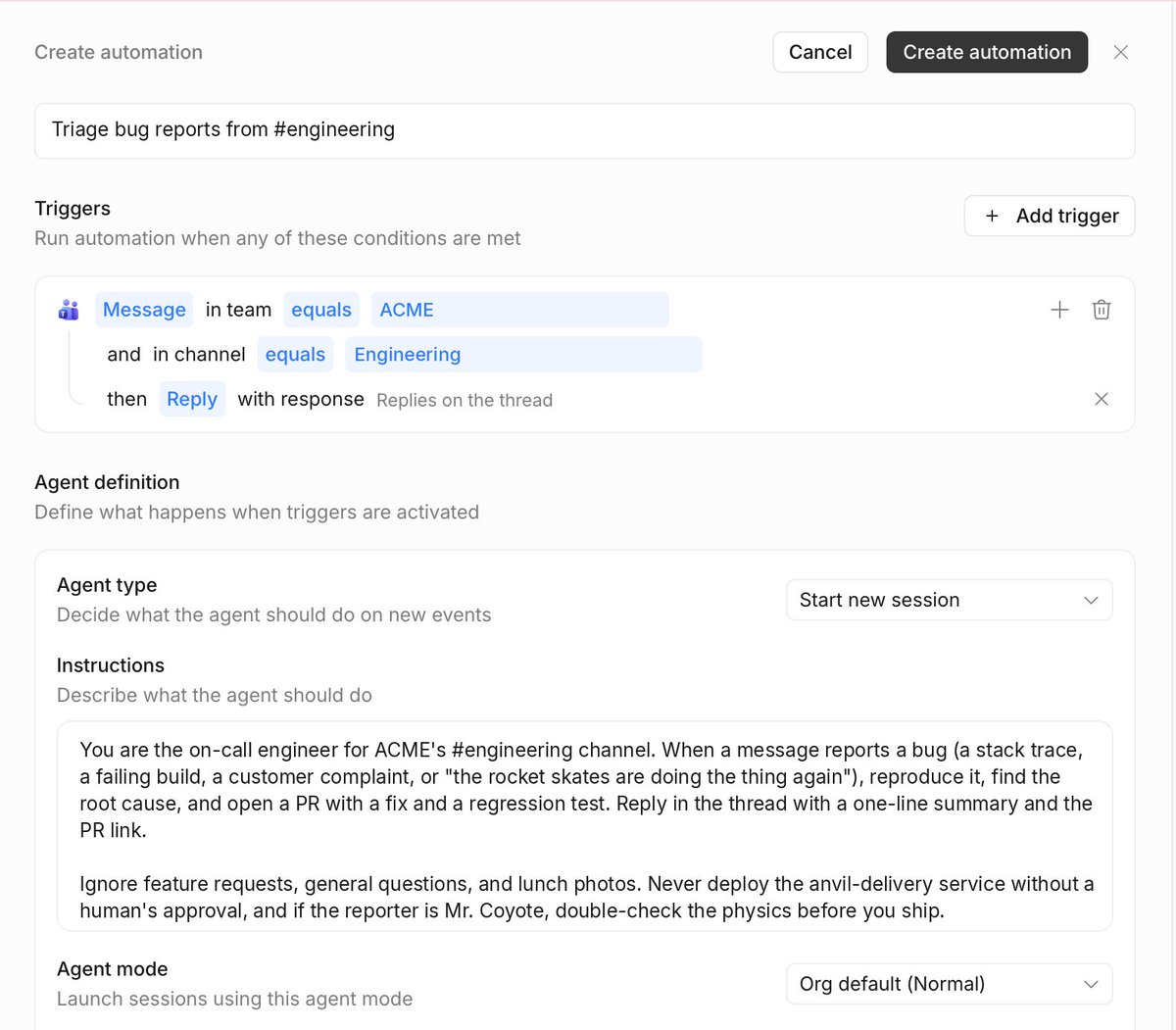
@cursor_aiRollouts and Security Reviewer are available today on Teams and Enterprise plans. We’re including Rollouts usage credits for the next 10 days, so you can try it on real changes. Learn more: https://t.co/L2wsajXeT9
Improve how you give agents context, break down tasks, test changes, and ship software.
Topic editions via RSS ↗Cursor
@cursor_aiRollouts and Security Reviewer are available today on Teams and Enterprise plans. We’re including Rollouts usage credits for the next 10 days, so you can try it on real changes. Learn more: https://t.co/L2wsajXeT9
GitHub
@githubThe team also built a measurement loop that ran unattended against a huge pull request, using production instrumentation to detect blank gaps, jank, leaked observers, and scroll corrections.
GitHub
@githubCheck out the deep dive on making million-line pull requests with hundreds of comments feel like ordinary reviews. 👇 https://t.co/HkUlPNTxVL
GitHub
@githubA pull request with 2,200 files, 1M+ changed lines, and 400+ inline comments. Impossible to review? Not if you have the GitHub Copilot app. ✨ The rebuilt pull request view keeps even this extreme diff fast and smooth. 🧵
GitHub
@githubCode is the easy part: virtualize the rows, keep the DOM small, and use known line heights. Comments are harder. Their height changes with markdown, replies, expandable sections, images, and async content.
GitHub
@githubThe solution was two independent geometries: • Deterministic code height, known up front • Dynamic comment blocks, measured lazily and corrected near the viewport That keeps comment reflows from rebuilding the code layout.
Visual Studio Code
@code⌨️ Keep typing without duplicate closing brackets. When you type an opening bracket, VS Code uses an existing matching closing bracket when available. Otherwise, it inserts one. https://t.co/l9eY9gI0y0
Visual Studio Code
@code🔎 Explore everything that’s new in the full release notes: https://t.co/15Hrd1YVqk Happy coding! 💙 https://t.co/YJQXbZY7EU
Visual Studio Code
@code🚀 The latest @code release makes large agent session lists faster and easier to manage and lets you run agent sessions in Dev Containers, both locally and on remote hosts. 🧵 Here’s what’s new: https://t.co/YJQXbZY7EU
Cognition
@cognitionAnd Devin now works natively with Microsoft 365: grant access to Outlook, Calendar, OneDrive, SharePoint, and Directory, to give Devin all the context it needs to keep working. Permissions are scoped per user and per app, giving your team precise control and flexibility.
Cognition
@cognitionRead more: https://t.co/sxYQwfxr0e
Cognition
@cognitionIn Microsoft Teams, you can now direct message Devin, start a group chat, or spin up Automations from Teams channels, all without leaving the chat. Devin can also @-mention coworkers for questions, send file attachments, or mute itself when its done. https://t.co/8rkjz9VesZ
Cognition
@cognitionDevin loves building apps on its own PC. Now, it works even better on yours. Introducing two updates to Devin for Microsoft users: native support for Teams, and a first-party Microsoft 365 integration to connect to your mail, calendar files, chats, and more. https://t.co/lC1Dii9FNK
OpenAI Developers
@OpenAIDevsBring your next project to life with Codex: https://t.co/Yhq6asiUnX
OpenAI Developers
@OpenAIDevsGPT-Live-1 handles the conversation while the Raspberry Pi sends research and tool tasks to GPT-5.6 Luna via the Responses API. The Pi’s local renderer turns scenes into 128 × 64 pixels. Sid can keep talking while research and rendering happen in the background. https://t.co/mCJbi5AfxA
OpenAI Developers
@OpenAIDevsFrom figuring out the wiring to debugging “show that on the wall,” @sidrampally shares how he used Codex to turn an LED display into a voice-controlled assistant. Powered by GPT-Live-1 and a Raspberry Pi, it shows weather, subway arrivals, and more: https://t.co/d6wv1qNHzc
GitHub
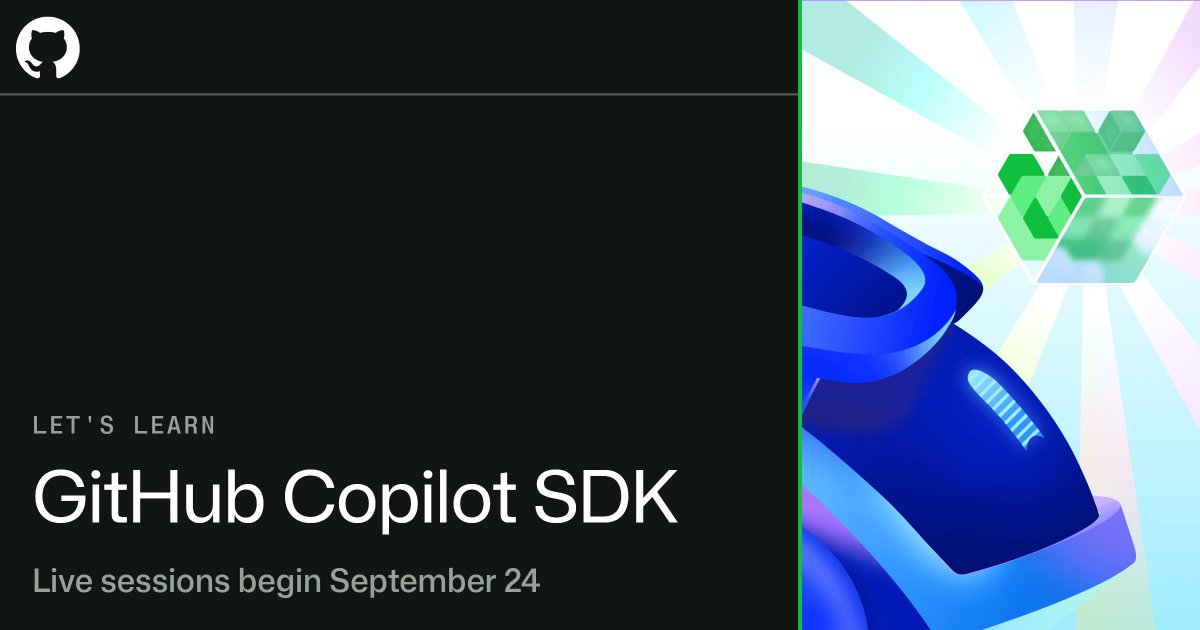
@github➡️ Coming soon: Let's Learn GitHub Copilot SDK Starting September 24, we'll host beginner-friendly livestreams on how to build agentic applications with the GitHub Copilot SDK, without implementing the agent loop yourself. Includes sessions specifically for .NET and Java development. Sign up for English, Chinese, Portuguese, Spanish, Japanese, or Korean. https://t.co/dl62TnerXt
Cursor
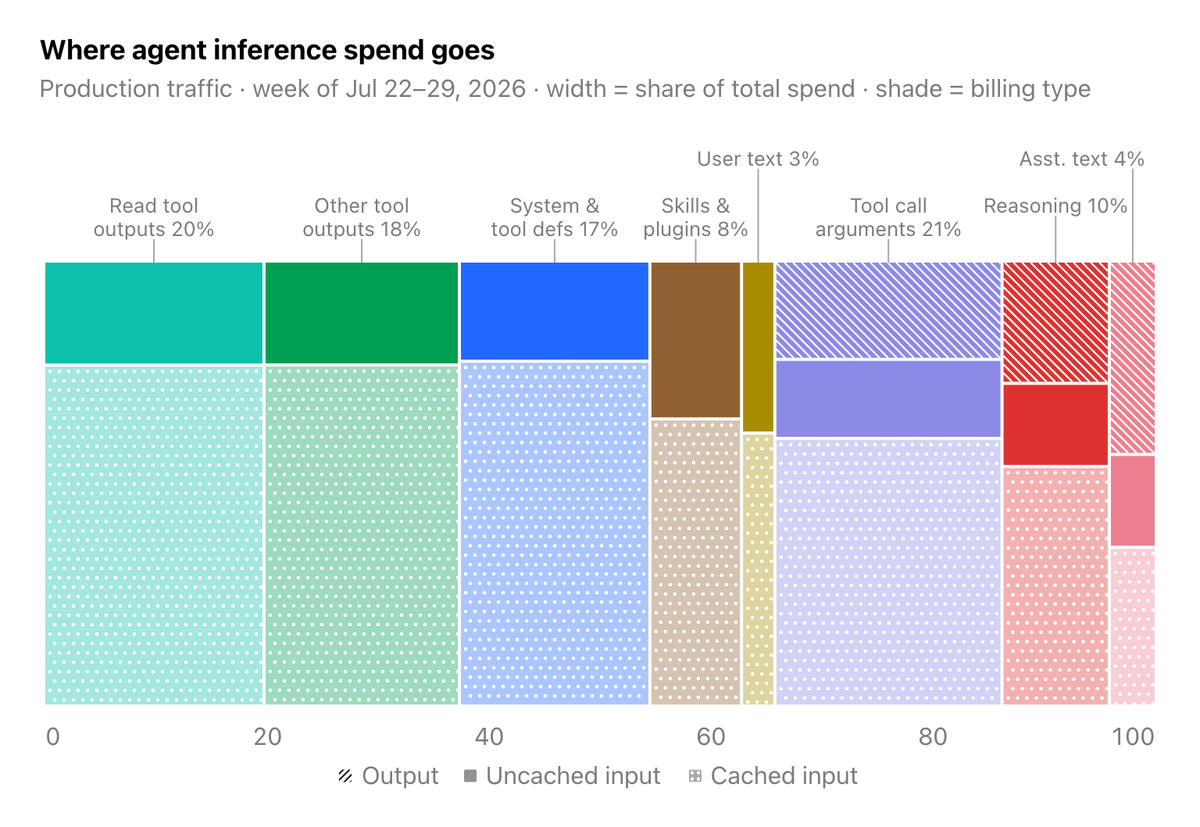
@cursor_aiWe've reduced token costs in Cursor by 7% with no drop in agent quality. Savings came from tighter prompts, selective tool loading, better caching, and compressed file reads. https://t.co/EMNxELnfwO
Cursor
@cursor_aiHere's how we improved our agent harness: https://t.co/VzcB2yMqxU
Visual Studio Code
@codeVisualize Data Structures in VS Code 🤯 If you work with data structures, check out the Debug Visualizer extension for VS Code. It lets you visualize your data while debugging so you can actually watch algorithms and data structures change as your code runs. In this example, see a linked list grow node by node and watch QuickSort move values into sorted order. A great tool for learning data structures, understanding algorithms, and debugging complex code. #VSCode #Programming #Coding #DataStructures #Developer